Free private prototypeCase management for operations teams

Your case workflow, built as your own app.

Requests, documents, approvals and hand-offs in one workspace shaped around how your team already works. We build a working prototype of one process for free, so your team can try it before deciding.

  • No payment details
  • Your own codebase
  • Owe nothing if you stop
Client onboarding in Cadrient, from intake to kickoff2:49NarratedEnglish captions
Explore the workspace
Read the overview transcript
  1. Cedar Grove Studio has signed up for advisory services. Maya is going to open an onboarding case, get an independent review, and hand the client over for kickoff.
  2. From My work, she chooses New case, then Client onboarding. That choice brings up the intake form her team uses for new clients.
  3. She gives the case a name her colleagues will recognize and adds the client contact. The service, target start date and account reference belong to this workflow.
  4. Create case gives Cedar Grove its own case number. The record shows Maya as the owner, the current step, and the three documents she needs to collect.
  5. All cases is the shared register. Maya filters it to client onboarding and searches for Cedar Grove. She can reopen exactly the same record from here.
  6. The first requirement is a signed service agreement. Maya attaches the client’s file, reads the scope of work, and marks the agreement as checked.
  7. Next she checks the company details against the intake form. The contact and account reference are visible in the document she is reviewing.
  8. The project brief sets out the first deliverable. With all three documents checked, Maya completes her review and sends the case to the client approvals team.
  9. In Team queues, Maya opens Client approvals. The new case is already in the queue because its workflow assigns this approval step to that team.
  10. Searching for Cedar Grove shows Jordan Lee as the owner, together with the status and deadline. Jordan now picks up the same case from his own workspace.
  11. Jordan opens the decision, reviews the evidence and records his approval. The next step is to arrange the client kickoff.
  12. He records the agreed kickoff details in an internal note. The next person opening the case can see what the client and the team decided.
  13. Jordan completes the kickoff step. Cedar Grove is now resolved. Its history shows the approval, the note and when the work finished.
  14. Back in Maya’s workspace, Team overview shows the wider picture. She opens Performance and filters to client onboarding for the last seven days.
  15. She opens Cases completed to see which clients make up that number. Cedar Grove is on the list. The team can also download these records for its weekly review.
  16. Maya wants future cases to capture a kickoff contact at intake. In Case types, she opens Client onboarding and adds that field to the form.
  17. She saves the draft and tests the route. The release review shows what will change before she publishes the new version.
  18. The next onboarding form now includes Kickoff contact. Cedar Grove’s completed case stays on the version it started with, alongside its original evidence and decisions.
  • Evidence checks
  • Independent approvals
  • Hand-offs
  • Team queues
  • Deadlines and reminders
  • Requester portal
  • Complete case history
  • CSV import and export
  • Versioned workflows
  • Team overview
  • ⌘K search
  • Light and dark

Inside the app

Everything a case needs, in one place.

Every customer application starts from the same reviewed foundation, then takes on your forms, roles and rules.

Evidence you can rely on

Every required document is tracked as received, checked or missing. A review can’t go to approval until its evidence is complete.
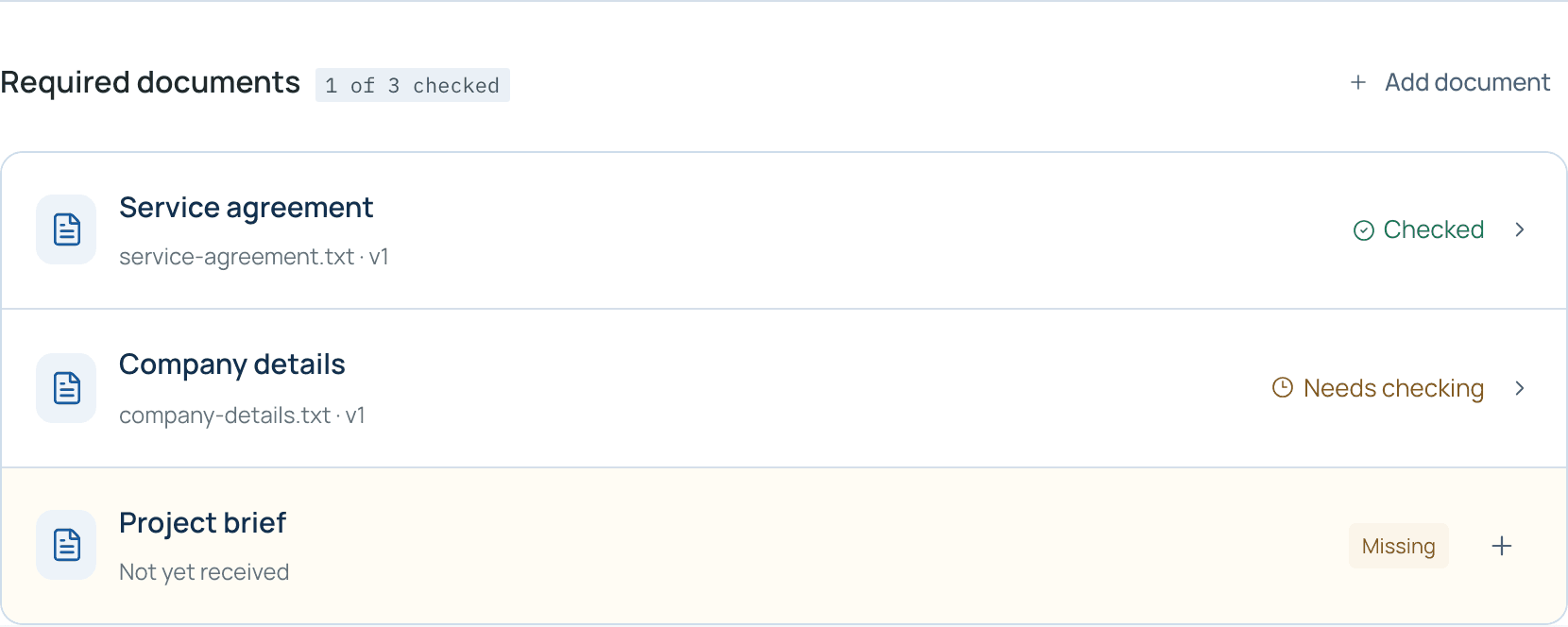
Required documents: Service agreement checked, Company details needs checking, Project brief missing.

Always a clear next step

Each case says what to do next in plain words, so nobody has to work out where it stands.
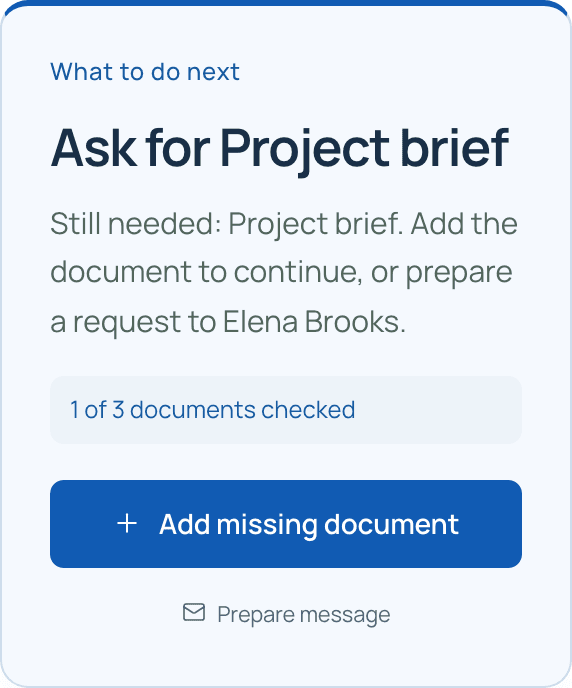
What to do next: Ask for Project brief, with one of three documents checked and an Add missing document button.

Decisions on the record

Approvers see what happens next before they confirm. Nobody approves their own request, and every decision stays in the case history.
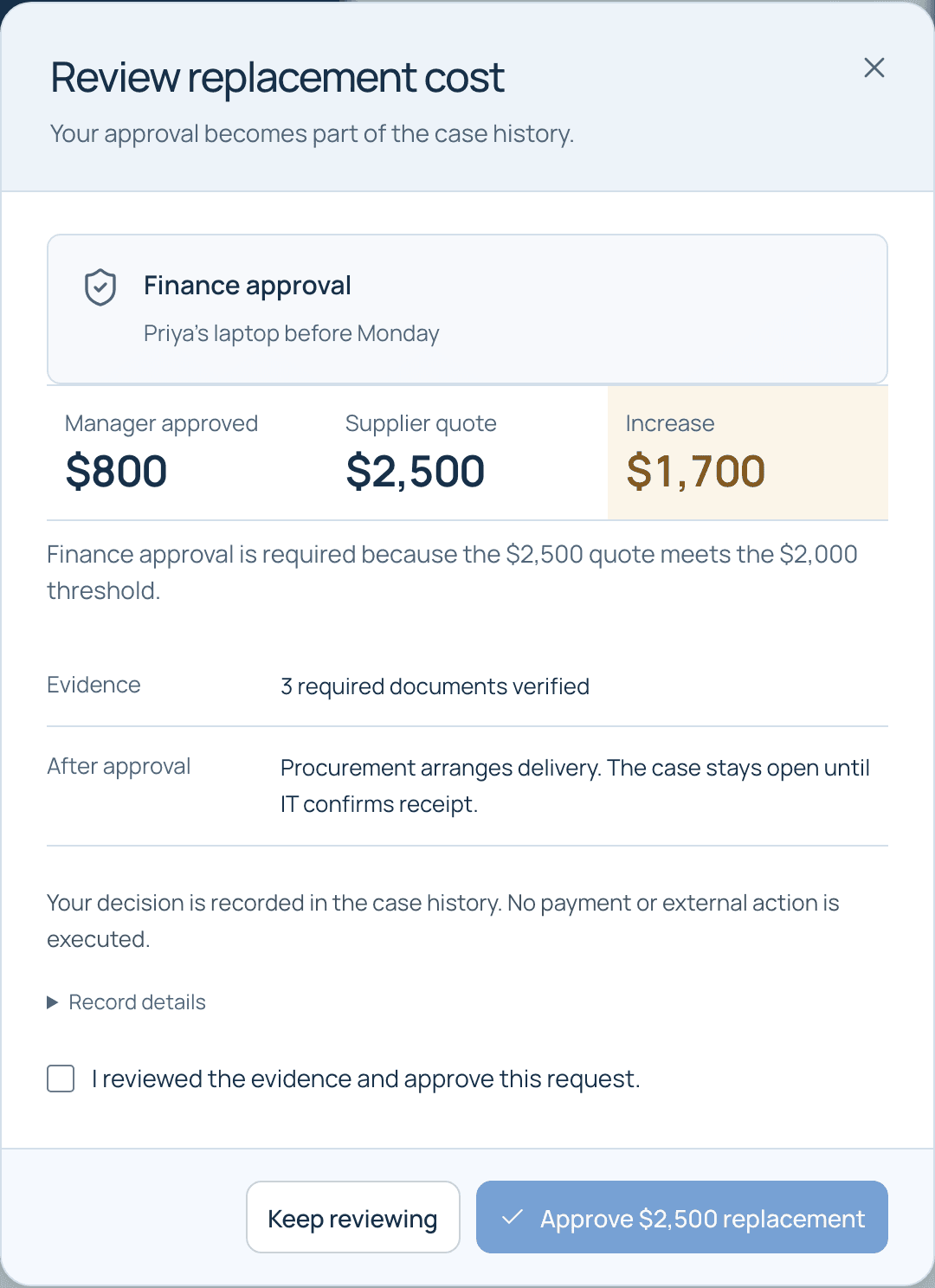
Finance approval dialog comparing the $800 manager approval with the $2,500 supplier quote, an increase of $1,700.

Change the process safely

Edit steps, forms and rules, test them on a sample case, then publish. Open cases keep the version they started with.
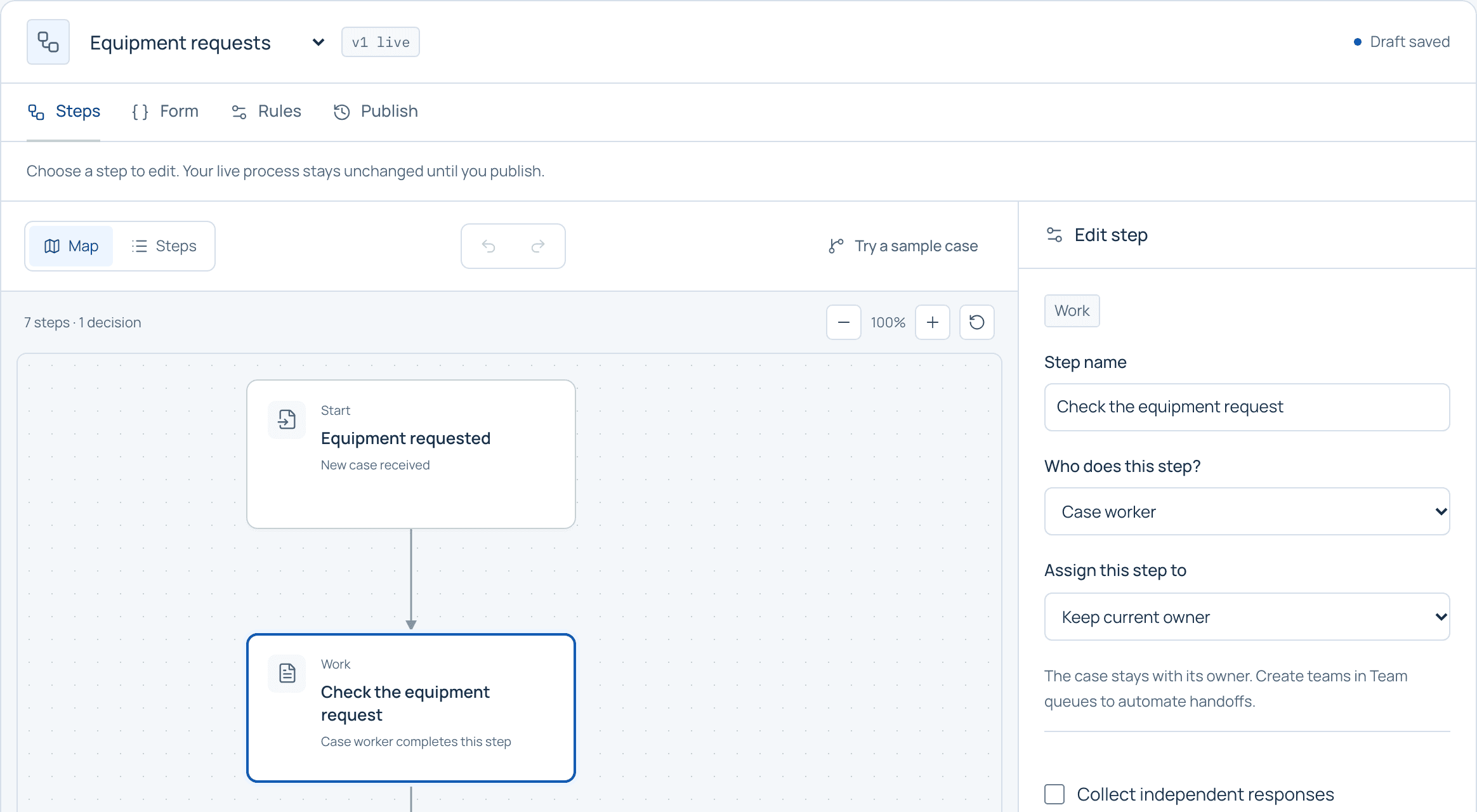
The workflow editor for Equipment requests, version 1 live, with a step map and the Edit step panel.
  • Team queues and hand-offsRoute work to the right team and hand cases over with context.
  • Deadlines and remindersDue dates and reminders keep cases from going quiet.
  • Requester portalA private, expiring link lets requesters send documents and answers.
  • Conversations and notesDiscuss a case where it lives and mention the right teammate.
  • Import and exportBring existing cases in from CSV and export filtered lists.
  • Team overviewSee what’s overdue and where work is building up.

How we work

No surprises, from prototype to production.

You see a working version of your process before anything is priced, and nothing handles live data until it has been checked.

  • Your own application

    Each customer gets a separate codebase and deployment, adapted to their workflow.

  • Checked before live data

    Before your app accepts live business data, we validate its access controls, data storage, files and recovery.

  • A complete case history

    Document checks, decisions and hand-offs are recorded with who did them and when.

  • Start without commitment

    The prototype is free. Production scope, price and dates are agreed in writing, and if you stop after the prototype, you owe nothing.

Get started

Request a private prototype

We’ll build a free, private prototype for your team to try. You decide whether it’s worth taking further.

  1. Tell us how it works today.One request, the people involved and the places it gets stuck.
  2. Try it with your team.We agree the scope and review date, then build a working prototype.
  3. Decide what comes next.Production scope, price and dates are agreed in writing. If you stop after the prototype, you owe nothing.